

 1
1
 0
0
Table of Contents
Most people get cam2cam wrong before the other person even says hello.
They open a random chat site, lean into their laptop’s built-in webcam, and wonder why they get skipped in three seconds. The truth is, a good cam2cam session starts way before you hit the “start” button. It starts with lighting, framing, privacy settings, and the platform you actually choose.
I’ve spent way more time than I’d like to admit testing random chat setups across different sites, devices, and rooms. Some sessions died instantly. Others lasted an hour. The difference was almost never luck. It was preparation.
This guide breaks down how to set up a cam2cam session that actually works in 2026. Whether you’re on Shagle, ChatSpin, or CooMeet, the fundamentals are the same.
Why Your Cam2Cam Setup Matters More Than You Think
Random video chat is brutal. People judge in under a second. If your camera is dark, grainy, or aimed at your ceiling, you’re gone. If your audio crackles, you’re gone. If the background is a mess of dirty laundry and mysterious shadows, you’re definitely gone.
A decent setup does three things:
- It builds trust. Clear video makes you look like a real person, not a bot or a recording.
- It keeps people watching. Good lighting and audio make conversations feel more natural and intimate.
- It protects you. Proper privacy settings mean fewer risks if things go wrong.
You don’t need a professional studio. A $20 ring light and five minutes of prep will put you ahead of 90% of users on any random chat site.
Step 1: Pick the Right Platform
Not every random chat site is built for cam2cam. Some throttle video quality. Some are packed with bots. Some ban adult content immediately. Picking the wrong platform is like bringing a knife to a gunfight.
| Platform | Best For | Watch Out For |
|---|---|---|
| Shagle | Fast adult matching, gender filters | Bots during off-peak hours |
| ChatSpin | Mobile cam2cam, face filters | Aggressive moderation in free tier |
| CooMeet | Verified female users, premium quality | Paid model, not free |
| ChatRandom | Large user base, NSFW rooms | Inconsistent video quality |
For a deeper look at each one, check our full reviews of Shagle, ChatSpin, and CooMeet after 45 hours of testing.
Step 2: Fix Your Lighting First
Lighting is the single biggest upgrade you can make. Most laptop webcams are terrible in low light. They crank up ISO, add noise, and make you look like a blurry ghost.
The cheapest fix is a basic ring light placed directly behind your monitor, aimed at your face. It should be slightly above eye level. This eliminates harsh shadows and gives your eyes that soft, reflective look that reads well on camera. Consumer Reports has a solid guide to videoconference lighting and positioning that applies just as well to random chat.
If you don’t have a ring light, use a desk lamp with a white shade and point it at the wall in front of you. The bounced light is much softer than direct light and still brightens your face evenly.
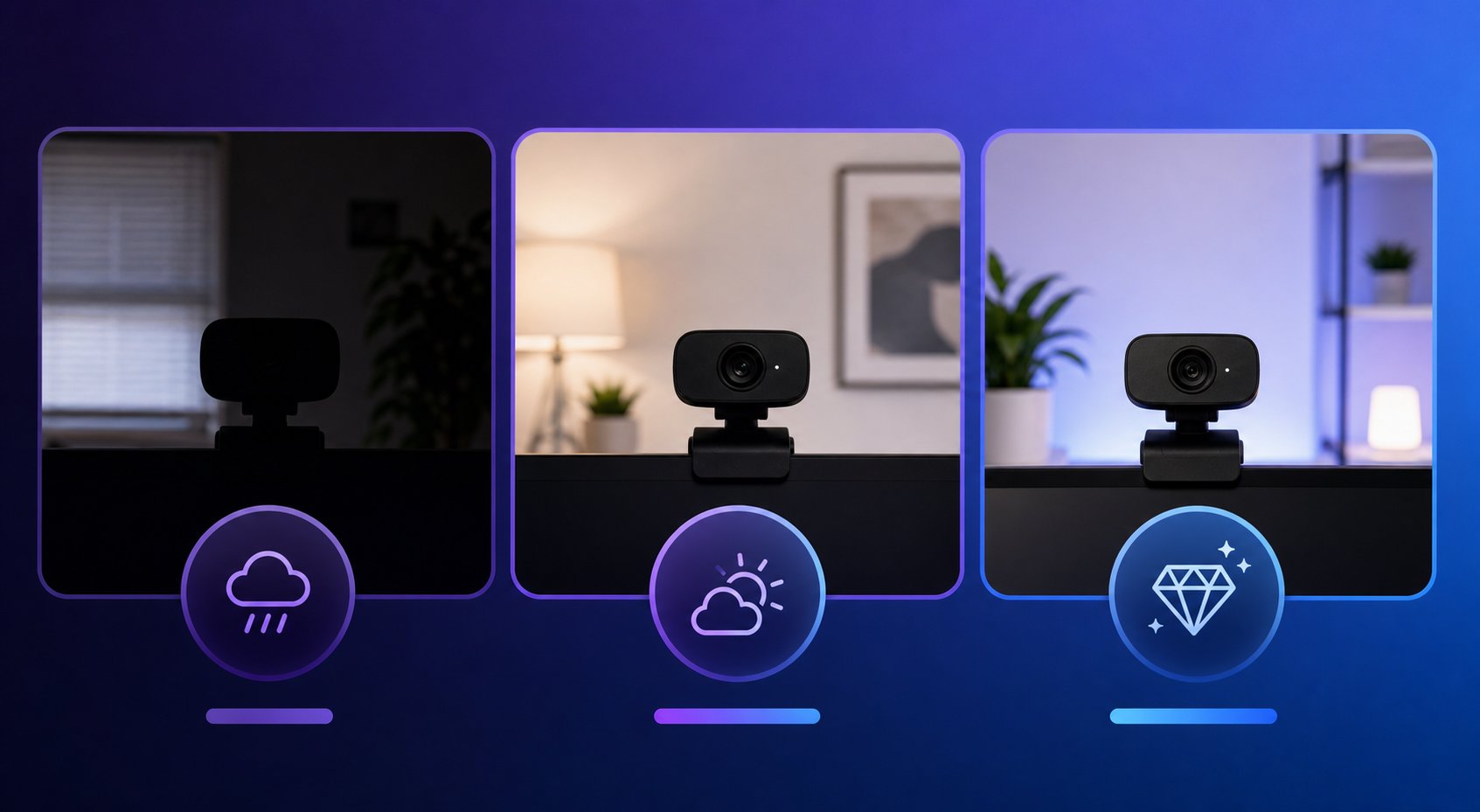
Three quick lighting rules:
- Face the main light source. Never sit with a bright window behind you unless you want to look like a silhouette.
- Balance the room. If only your face is lit and the rest of the room is black, it feels like an interrogation. Turn on one background light.
- Avoid overhead lights. Ceiling lights cast ugly shadows under your eyes and nose.
Step 3: Camera, Audio, and Background
Once the lighting is sorted, the camera matters less than you think. A modern phone front camera is usually better than a cheap laptop webcam. If you’re serious, a basic 1080p external webcam like a Logitech Brio or Anker PowerConf C200 will do more than enough. Wirecutter regularly tests the best webcams and their top picks cover most budgets.
Audio is more important than video. People will tolerate grainy video. They will not tolerate crackling, echo, or background noise. Use headphones with a built-in mic, or invest in a cheap USB microphone. Your laptop mic picks up every keystroke, fan noise, and roommate argument in the house.
Background tips:
- Keep it simple. A plain wall or tidy corner is fine.
- Remove anything personally identifying: diplomas, mail, photos, windows with street views.
- Add one subtle element that sparks conversation — a poster, a plant, a guitar. Just one.
Once your setup looks good, our guide on finding real girls on adult roulette will help you match with people who actually stick around.
Step 4: Lock Down Your Privacy
This is the part too many people skip. Cam2Cam is fun until someone records you, doxxes you, or tries to blackmail you. Assume every stranger is recording. Act accordingly. The Electronic Frontier Foundation has practical advice on hardening video call privacy that applies to any cam2cam platform.
- Use a VPN. Hide your real IP. Some platforms leak location data in peer-to-peer connections. See our VPN picks for random video chat.
- Create a separate email. Never use your main email to sign up for adult chat sites.
- Turn off location services. On mobile apps, deny location access.
- Don’t show identifying details. No tattoos in obvious locations, no street signs, no work badges, no unique room decor.
- Use a browser, not an app, when possible. Apps often request more permissions than necessary.

Bots and scammers are another privacy risk. Learn how to spot fake profiles before you waste a session on them.
Step 5: Win the First 10 Seconds
You can have perfect lighting and still get skipped if your opening is awkward. The first ten seconds set the tone.
Here’s what works:
- Smile and nod first. It signals you’re real, friendly, and not a frozen preview image.
- Say something specific. “Nice lighting” or “cool background” beats “hi” or “asl.”
- Move a little. A small wave or lean-in proves you’re live, not a recording.
- Match their energy. If they’re quiet, don’t yell. If they’re playful, play back.
What doesn’t work: sitting motionless, immediately asking for nudity, showing genitals before any interaction, or being on your phone while the camera is running. These get you skipped or banned fast.
For conversation openers that actually lead somewhere, our dirty talk guide breaks down what to say and when to say it.
Common Cam2Cam Mistakes That Get You Skipped
| Mistake | Why It Fails | Fix |
|---|---|---|
| Dark room | You look like a bot or a shadow | Add a ring light facing you |
| Laptop mic | Echo, keyboard noise, poor clarity | Use headphones or USB mic |
| Messy background | Looks careless and distracting | Clean one corner or use blur |
| No eye contact | You seem disinterested | Look at the camera, not the screen |
| Asking too fast | Feels pushy and transactional | Build 30–60 seconds of rapport first |
Quick Setup Checklist
Before your next cam2cam session, run through this:
- [ ] Camera lens is clean
- [ ] Ring light or lamp is aimed at your face
- [ ] Background is tidy and non-identifying
- [ ] Headphones or external mic connected
- [ ] VPN is active
- [ ] Location services are off
- [ ] Browser cache/cookies cleared if needed
- [ ] You have water nearby — long sessions dry you out
Final Thought
A great cam2cam session isn’t about having the most expensive gear. It’s about removing friction. Good lighting, clear audio, a clean background, and basic privacy habits make you stand out instantly on any random chat platform.
The people who get skipped in three seconds are usually the ones who didn’t prepare. The ones who get matches that last are the ones who treated the setup seriously. Be the second group.
FAQ
What is a cam2cam session?
Cam2cam means both users have their webcams active during a video chat, so each person can see the other live. It’s common on random chat sites and adult video chat platforms.
Do I need an expensive camera for cam2cam?
No. A decent phone camera or a basic 1080p webcam is enough. Lighting matters far more than camera price.
Is cam2cam safe?
It can be, but you should always assume the other person could record. Use a VPN, avoid showing identifying details, and never share personal information.
Which platform is best for cam2cam?
It depends on your budget and what you want. Shagle and ChatSpin work well for free adult matching. CooMeet is better for verified, premium-quality matches.
Why do I keep getting skipped on cam2cam sites?
The most common reasons are poor lighting, bad camera angle, messy background, crackling audio, or an awkward opening. Fix those before blaming the platform.